Everything to run your words. Nothing you don't need.
Each capability earns its place by connecting one step of the workflow to the next. That's the whole product — no bloat.
All features
Sitemap, two ways
A drag-and-drop mind-map and a spreadsheet-style table of the same site. Page order is your menu order: move pages up or down, move them under another page, or arrange a section A→Z, by version or by status (with undo). Version snapshots, side-by-side compare and import too. Sort the view by name, URL, status, version or copy status; the menu order never changes. The table shows each page's website version.
LiveStructure ↔ copy links
Every page tied to its words. Move or rename a page and the links follow automatically — no orphaned docs. Delete or move a page and DraftBay asks what to do with the pages under it.
LiveOrphan detection
Copy that isn't linked to any page is flagged, and every page still waiting for copy is marked — gaps show up before launch.
LiveWebsite versions
Name what launches now and what comes later. Later versions stay visible but faded, pages can move between versions, and you mark a version launched when it goes live. In the table, project admins and workspace owners click a page's version to move it.
LiveCopy requests
Ask someone to write a page — or a whole section — in one step. No document needed yet; they get an email with where it should live.
LiveReview workflow
Assign, comment, @mention, attach files, send back or approve, with clear “Ready for approval” and “Ready for next person” states.
LiveComments and @mentions
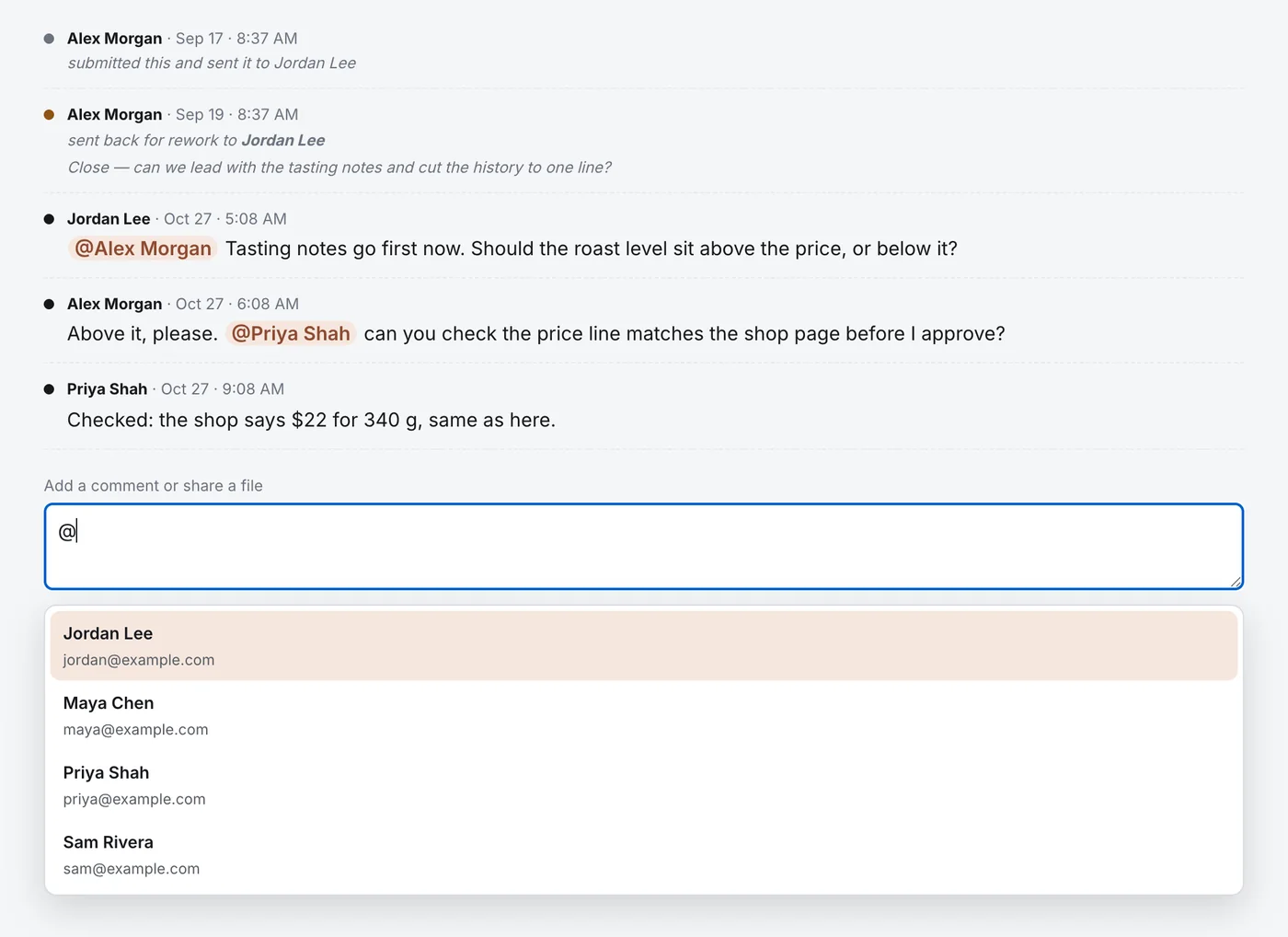
Threads on every piece of copy and every sitemap page. Type @ to mention someone who can see it; they get a notice and an email with a link back to the comment.
LiveVersion history
Every draft kept and roll-back-able. Approval is pinned to the version you approved, and a new version needs approving again.
LiveAI assistant
Answers questions about your project and the page you're on, finds missing pages and copy, and suggests changes, such as handing approved copy to your designer or updating page addresses, that happen only when you approve them.
LiveProject Board
DraftBay's checks and its AI list what's still missing, ask your team clarifying questions, and show how it's going: how much copy is approved, and who has what.
LiveNotifications
Email and in-app notices, including when someone @mentions you, with a link straight to the comment. Everyone sees what's waiting on them. Hand several pages to your designer at once and they get one email. Changes others make show up without reloading.
LiveTeam updates
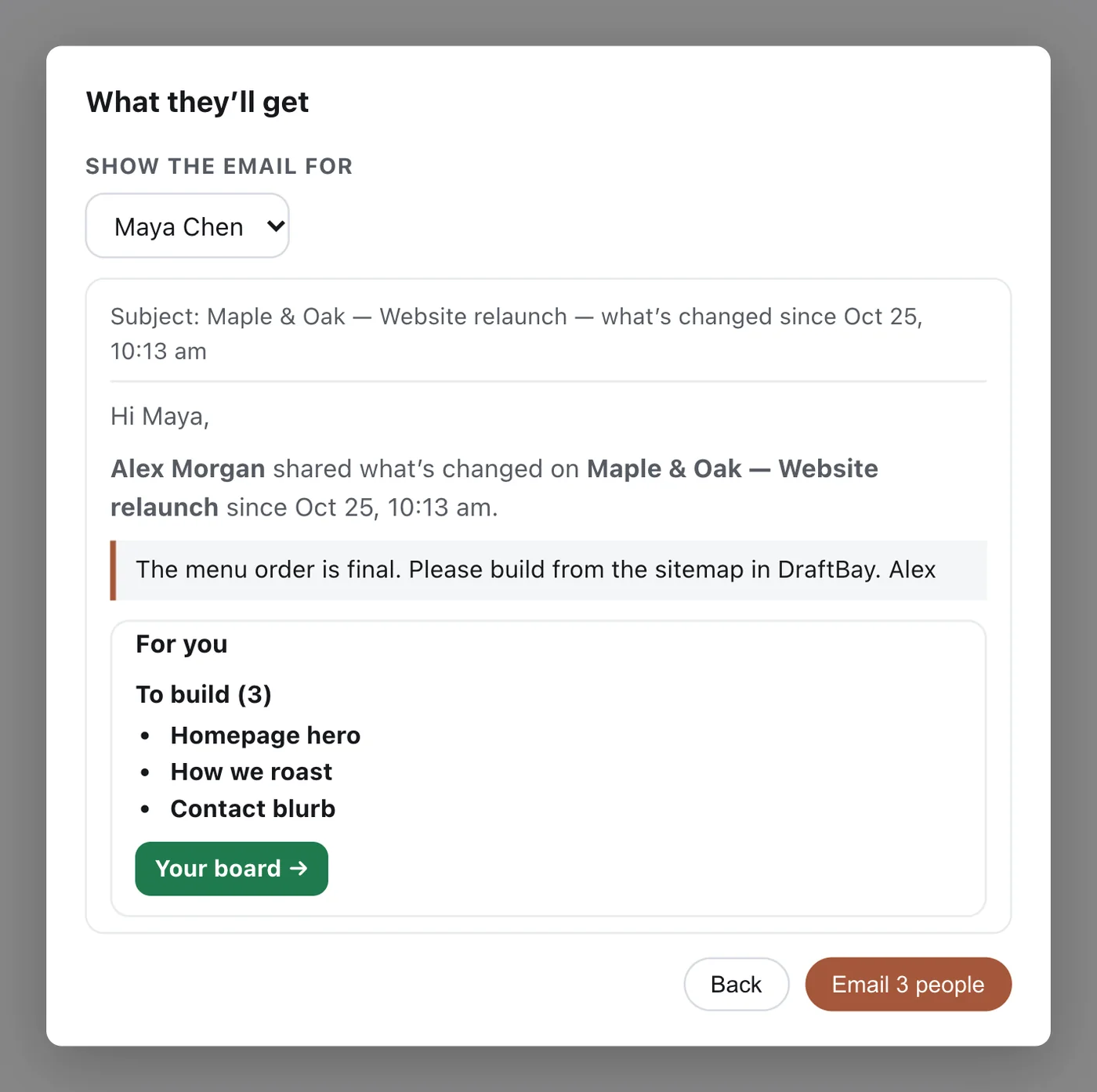
Send the team one email with what changed since the last update, and a “For you” list for each person with links to their Board. Or schedule it: every day, on weekdays or once a week. It's off until you switch it on, and every email has a one-click link to stop the scheduled ones.
LiveRoles & team
Owners and admins, plus job roles per project: sitemap manager, writer, reviewer, approver, designer, developer and client. People who can't edit the sitemap can still view pages, comment and add files.
LiveHand-off to your build
Hand approved copy to the project's designer in one step, from Copy Review or the Hand off to designer button on the sitemap. They see what to build and mark each page built; you see “With design” and “Built” on every page. Plus a one-click spreadsheet for Framer, Webflow, WordPress or anything else.
LivePublish connectors
Coming soon: push approved copy straight into Webflow, Framer or WordPress. Today, the hand-off is the designer's list and a spreadsheet.
Coming soonClient access
Invite a client and add them only to their own project: they see that project and nothing else. Review links that work without an account are coming soon.
How the pieces connect
Structure and copy are one object.
In most tools, the sitemap and the copy live in different apps and you keep them in sync by hand. Here, each page owns its copy. Reorder the tree, rename a page — the links and paths update themselves. Delete a page and we warn you what copy is attached before anything breaks.
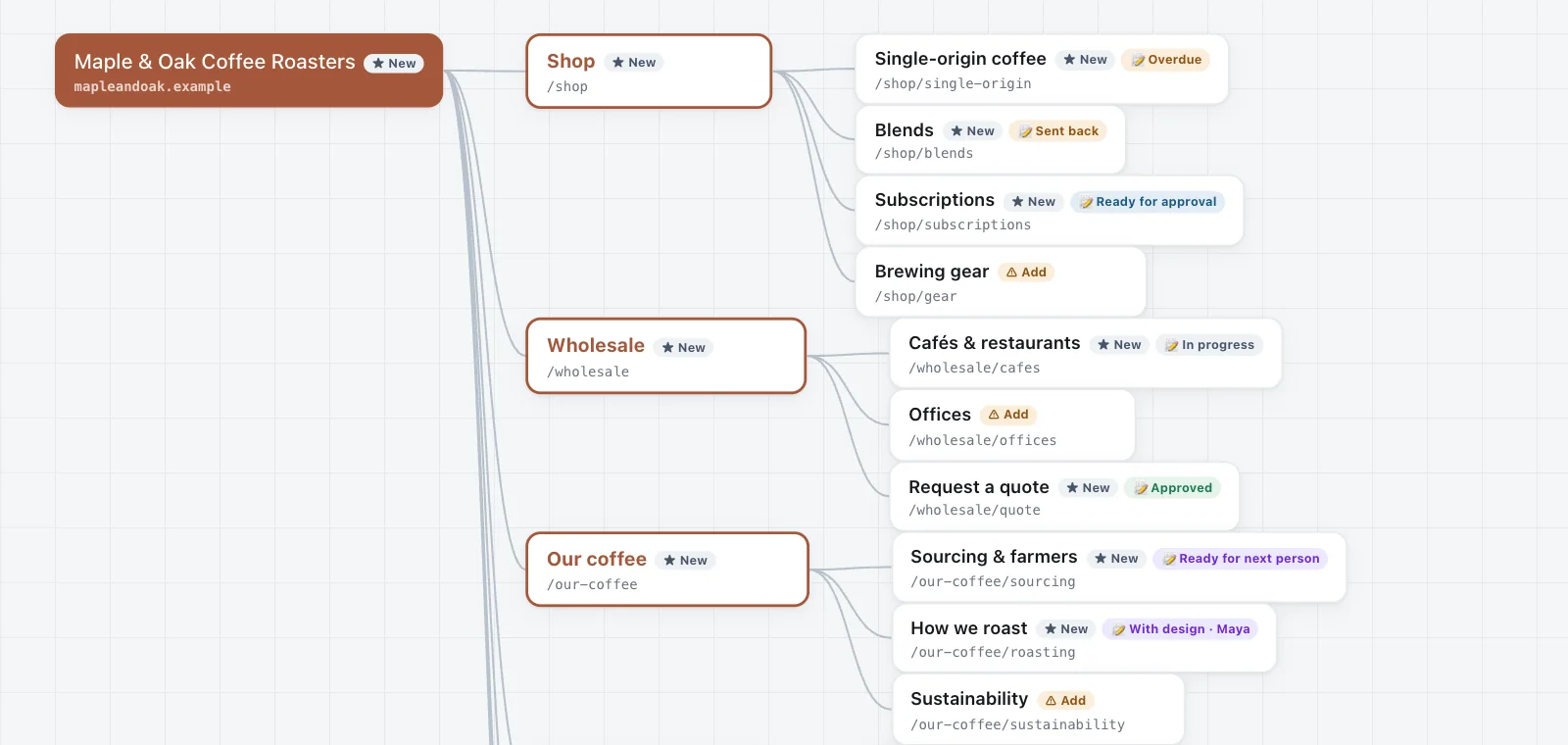
The workflow shows the next step.
In progress → ready for approval → approved → with design → built. Each state leads to the next, so nobody wonders "what now?". A manager can tell at a glance what needs their sign-off and what needs to move to the next person.

It lives on, and it's versioned.
Your site's structure and copy aren't a throwaway diagram or a doc that forks into "FINAL v3." They persist, they're versioned, and they're the one place everyone trusts — this month and next quarter. Approval is pinned to the version you approved, and a new version goes back for approval while your designer keeps building from the approved one. For a linked live document, upload the final file to lock its exact text.
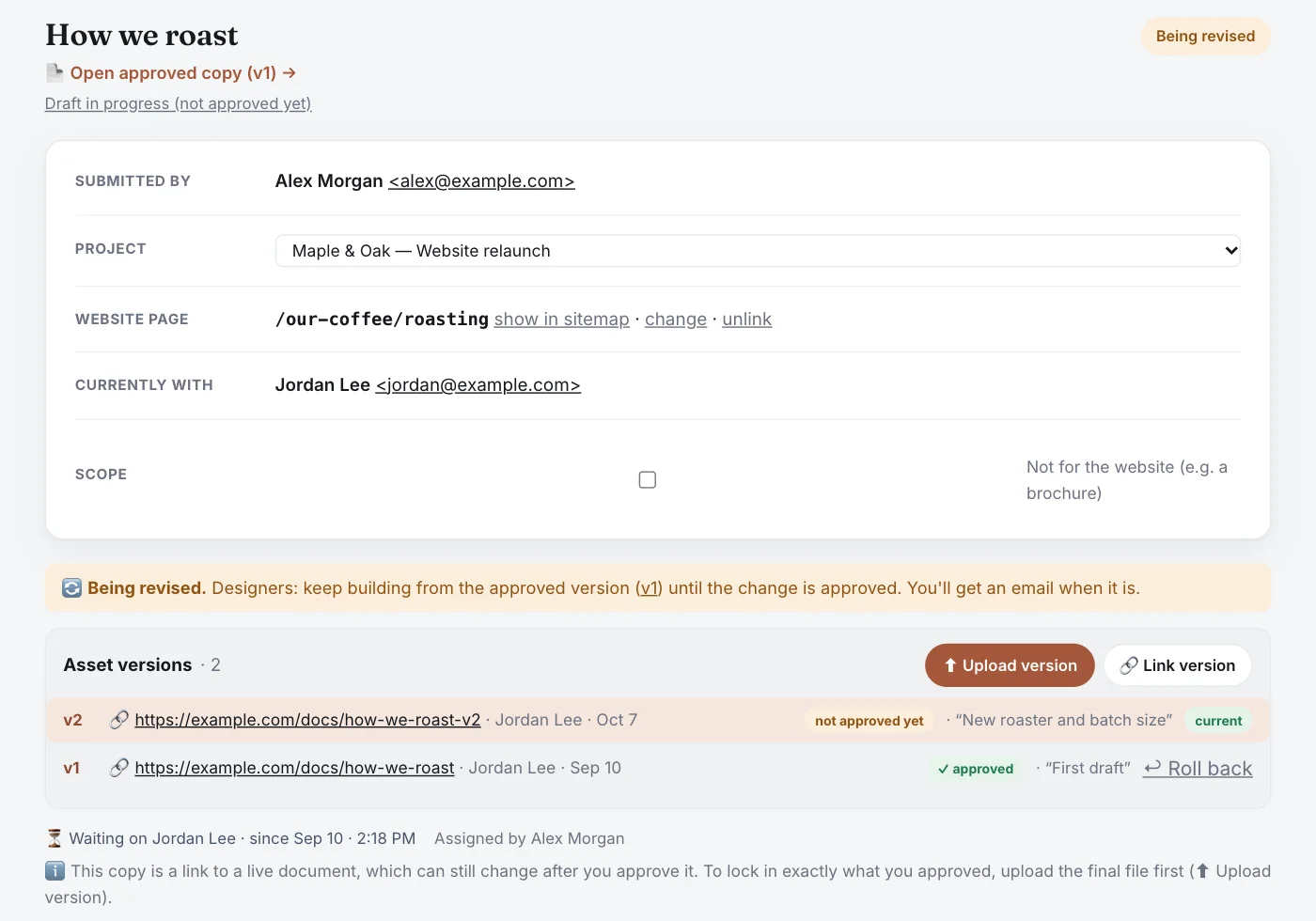
Talk about it where it lives.
Every piece of copy and every sitemap page has its own thread. Type @ to bring someone in: DraftBay only offers people who can already see it, and they're told in DraftBay and by email, with a link straight back to the comment.
Tell the team what changed, in one email.
Press ✉️ Send an update on the sitemap or the Board. Each person gets one email: what changed in the sitemap and the copy since the last update, and a “For you” list of what's waiting on them, with a link to their Board. See the email first, add a note, then send. Prefer a routine? Schedule it every day, on weekdays or once a week. It's off until you switch it on, people who haven't signed in yet aren't emailed, and anyone can stop the scheduled emails with one click.
Ask about the page you're on.
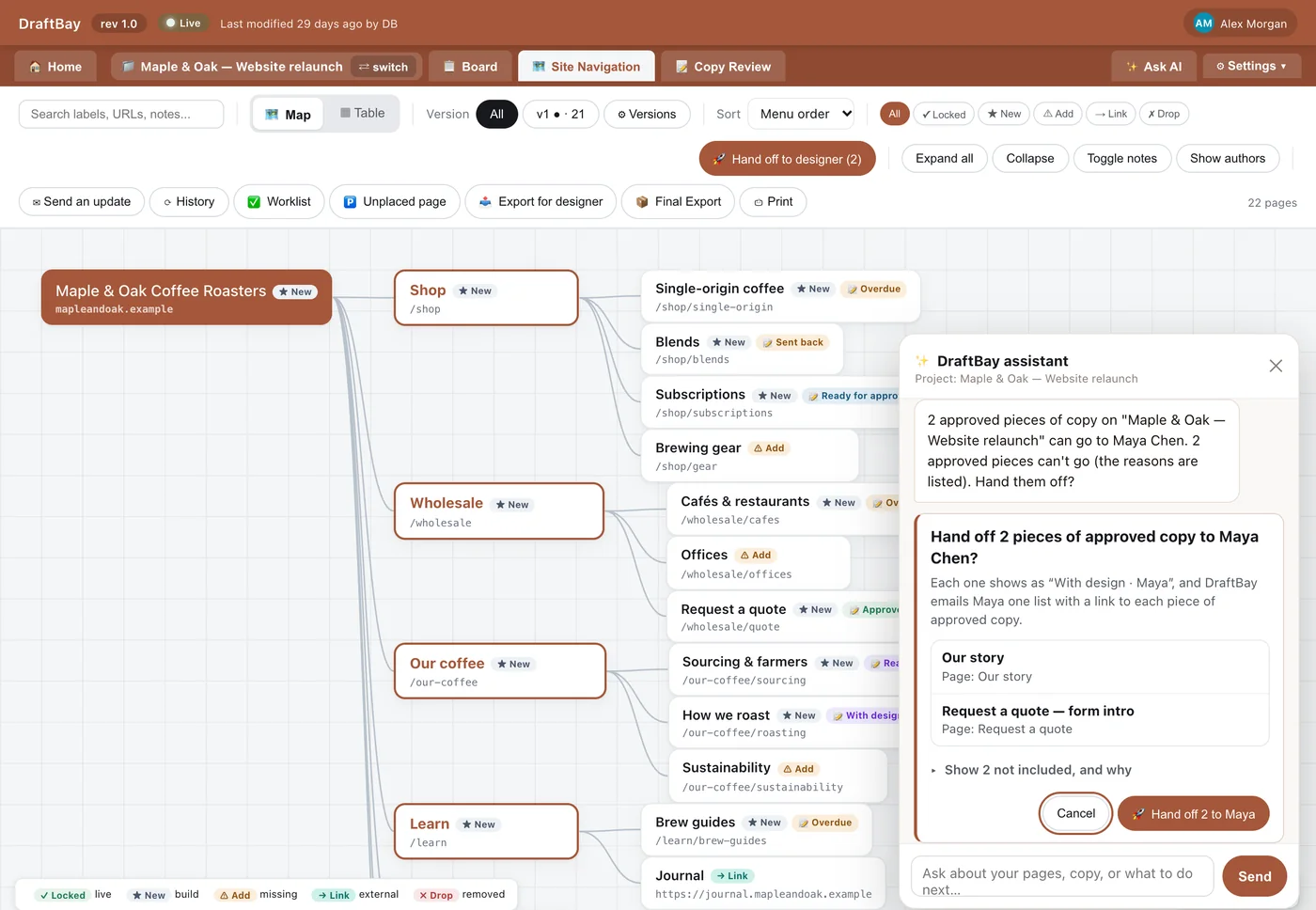
Open ✨ Ask AI on Site Navigation, or from a page's own panel, and the assistant knows which page you mean. Ask it to hand everything that's approved to your designer: it lists what goes, and what doesn't and why. Ask it to update sub-page addresses from the sitemap: it skips locked pages and keeps the old addresses so you can redirect them. Nothing changes until you click.
Put pages in menu order.
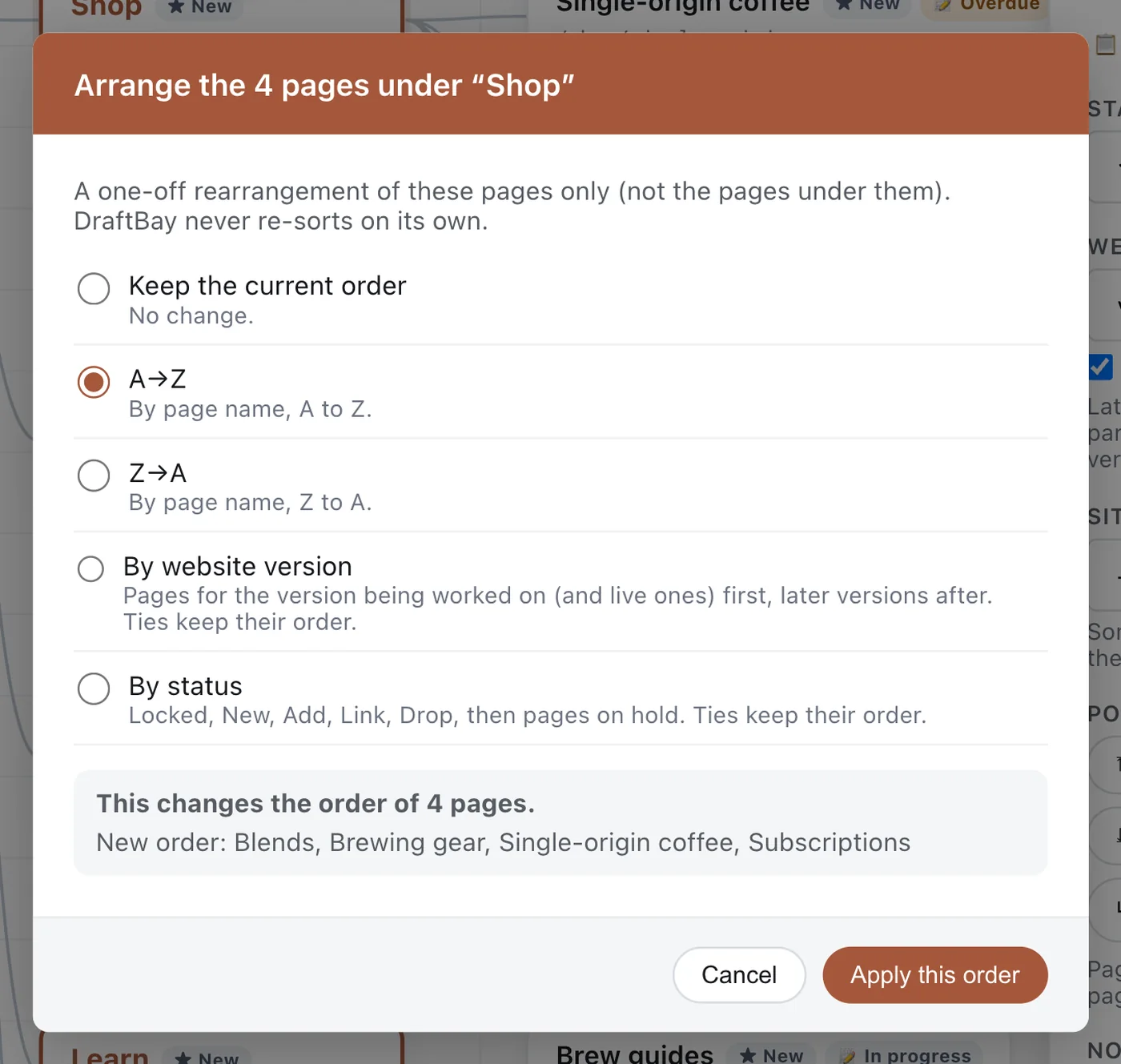
The order of pages in your sitemap is the order of your website's menu. Move a page to the top, up, down or to the bottom, move it under another page, or arrange a whole section A→Z, by website version or by status. You see the new order before you apply it, and you can undo it. DraftBay never re-sorts on its own. Select a page and press Alt+↑ or Alt+↓ (Option on a Mac). Looking for something? Sort the view by name, URL, status, version or copy status; sorting never changes your menu order.
See the whole workflow in two minutes.
The live demo walks a page from writing to built — no signup needed.
Try the demo